Configuring Networks via gcloud (GSP630) – Lab Notes 🧭 Overview
🌐 Configuring Networks via gcloud (GSP630) – Lab Notes
🧭 Overview
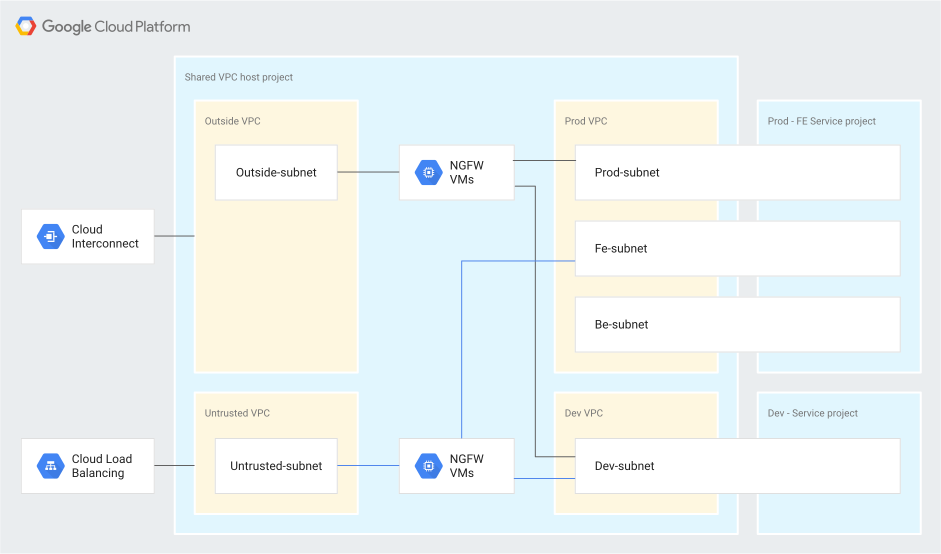
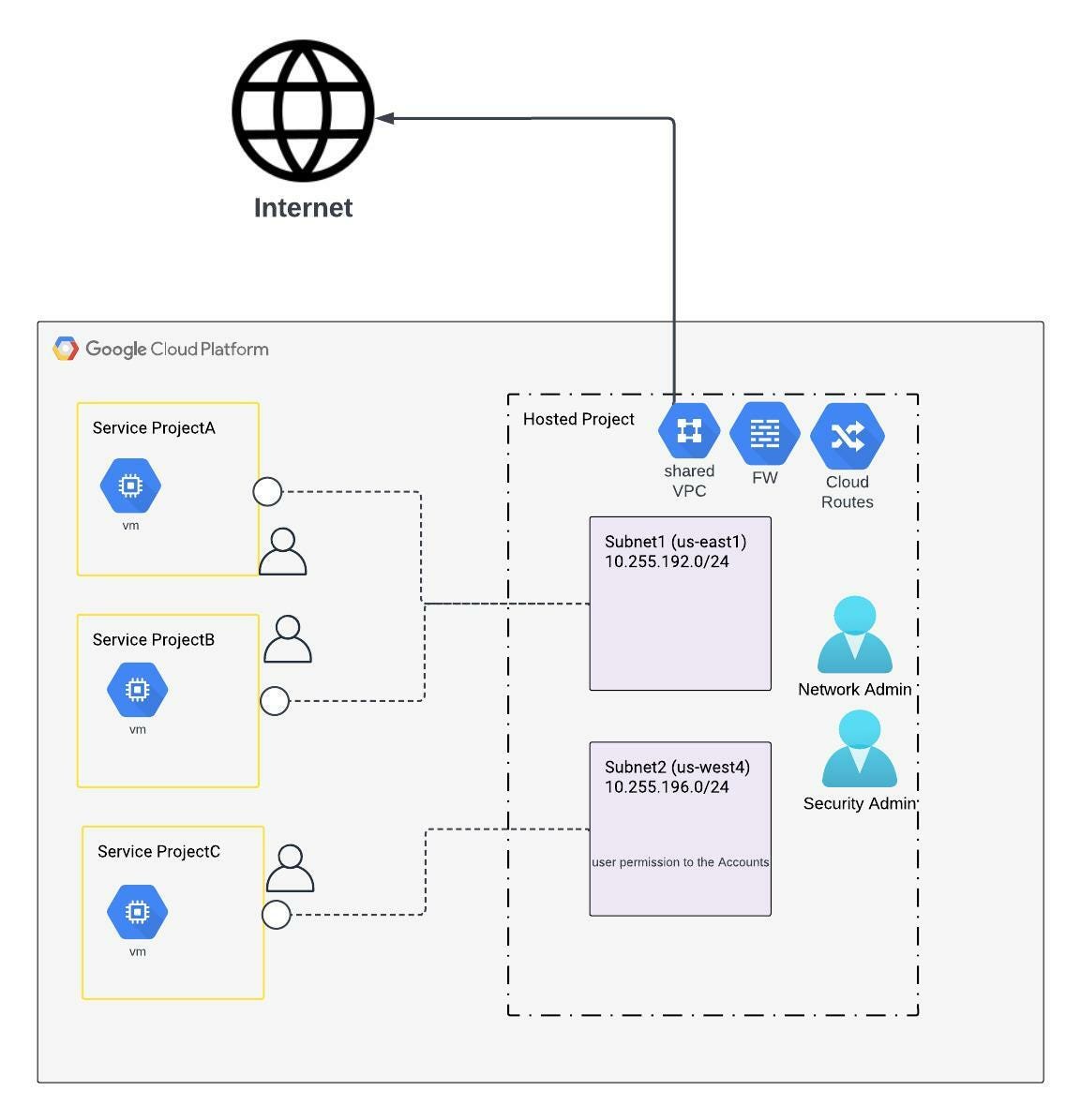
A Virtual Private Cloud (VPC) network in Google Cloud is a global resource that connects regional subnets through Google’s private WAN. It provides networking to:
Compute Engine VMs
Kubernetes Engine
App Engine Flex
In this lab, you:
Create two custom VPC networks
Add subnets
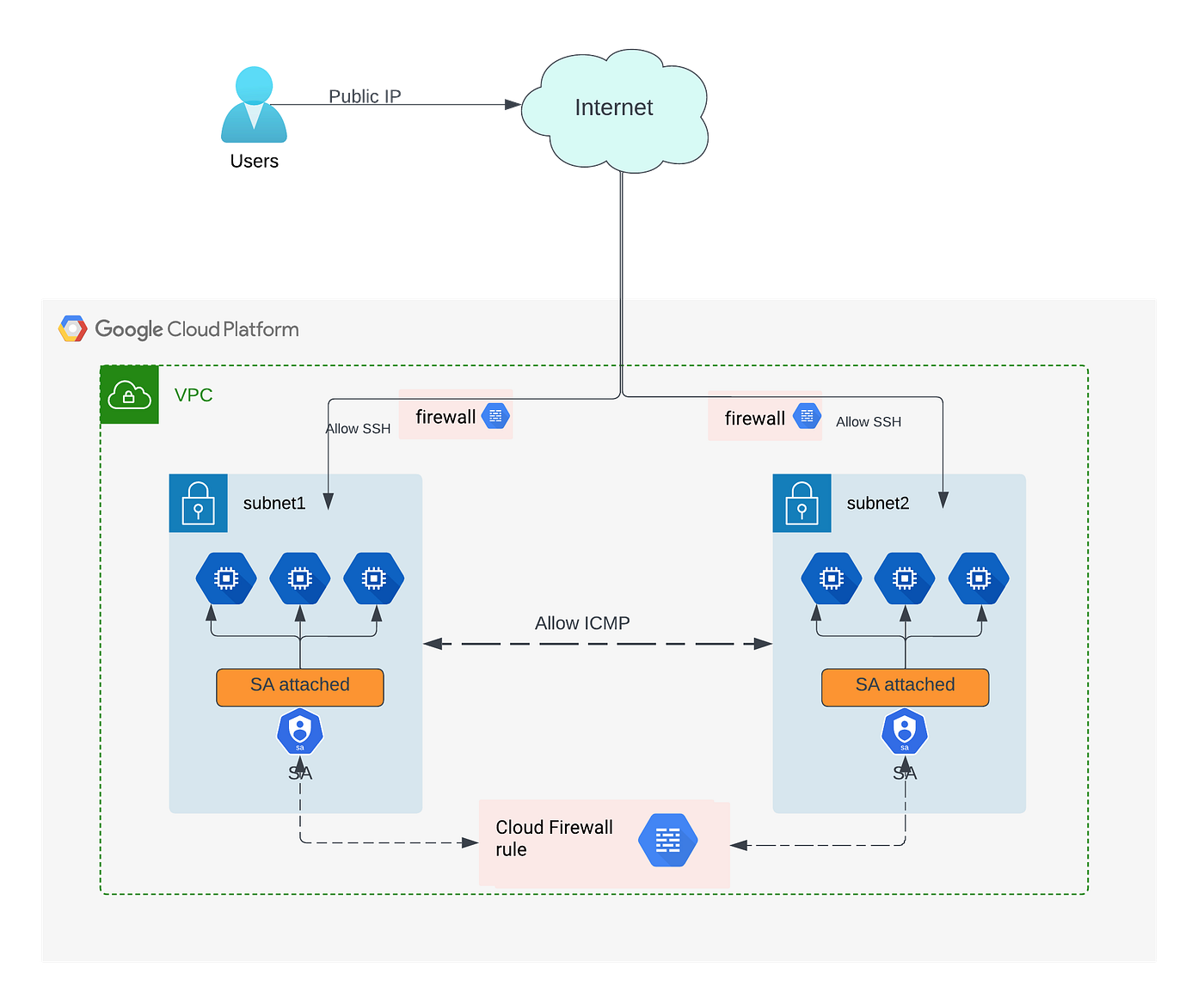
Configure firewall rules
Launch VM instances
Test public connectivity
🗺️ VPC Network Architecture
🧪 Practical Lab Steps (GSP630)
✅ Task 1: Create Custom VPC Network
gcloud compute networks create labnet --subnet-mode=custom
✔ Creates custom mode VPC
✔ No automatic subnets created
✅ Task 2: Create Subnet
gcloud compute networks subnets create labnet-sub \
   --network labnet \
   --region us-central1 \
   --range 10.0.0.0/28
✔ Region: us-central1
✔ CIDR Range: 10.0.0.0/28
✅ Task 3: View Networks
gcloud compute networks list
To describe a network:
gcloud compute networks describe labnet
✅ Task 4: List Subnets
gcloud compute networks subnets list
🔥 Task 5: Create Firewall Rule (Allow Traffic)
gcloud compute firewall-rules create labnet-allow-internal \
    --network=labnet \
    --action=ALLOW \
    --rules=icmp,tcp:22 \
    --source-ranges=0.0.0.0/0
✔ Allows:
ICMP (Ping)
TCP Port 22 (SSH)
✔ Source: Public internet (0.0.0.0/0)
🔍 Task 6: View Firewall Details
gcloud compute firewall-rules describe labnet-allow-internal
🏗️ Task 7: Create Second Network (Private Network)
Create Network
gcloud compute networks create privatenet --subnet-mode=custom
Create Subnet
gcloud compute networks subnets create private-sub \
    --network=privatenet \
    --region=us-central1 \
    --range=10.1.0.0/28
Create DENY Firewall Rule
gcloud compute firewall-rules create privatenet-deny \
    --network=privatenet \
    --action=DENY \
    --rules=icmp,tcp:22 \
    --source-ranges=0.0.0.0/0
✔ Blocks Ping & SSH from public internet
List firewall rules:
gcloud compute firewall-rules list --sort-by=NETWORK
💻 Task 8: Create VM Instances
Create VM in Private Network
gcloud compute instances create pnet-vm \
--zone=us-central1-a \
--machine-type=n1-standard-1 \
--subnet=private-sub
Create VM in labnet (Console Method)
Name: lnet-vm
Network: labnet
Subnet: labnet-sub
Machine Type: n1-standard-1
List VMs
gcloud compute instances list --sort-by=ZONE
Expected:
| VM Name | Internal IP | External IP | Status |
| lnet-vm | 10.0.0.2 | Public IP | Running |
| pnet-vm | 10.1.0.2 | Public IP | Running |
🌍 Task 9: Test Connectivity
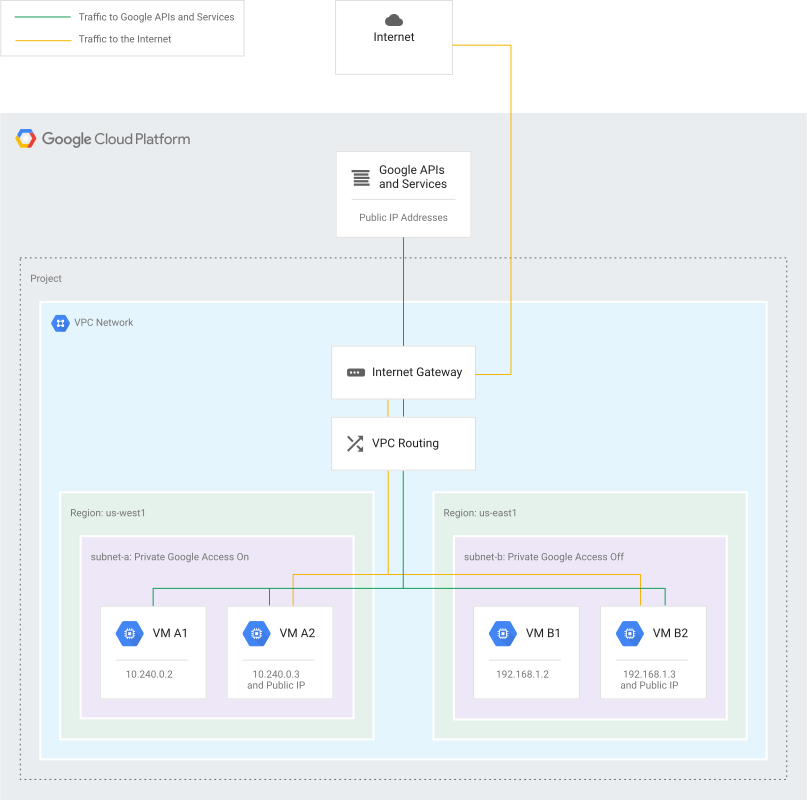
Ping lnet-vm (Should Work)
ping -c 3 <lnet-vm-external-ip>
✔ Works (Firewall allows traffic)
Ping pnet-vm (Should Fail)
ping -c 3 <pnet-vm-external-ip>
❌ Fails (Firewall denies traffic)
📊 Connectivity Flow Comparison
4
🎯 Key Learning Points
✔ Custom VPC does NOT create default firewall rules
✔ Firewall rules are network-specific
✔ Allow vs Deny rules control internet access
✔ VM connectivity depends on firewall configuration
🏁 Result
Successfully:
Created 2 custom VPC networks
Created subnets
Applied firewall rules
Launched VM instances
Tested internet connectivity
